Years ago winamp was the obvious choice. It’s free, light, nice skinning support, looks pretty nice and those DSP and visualizations made it something unique. However, nowadays, we have a lot of choices for Audio. One of them, and a pretty good one is called “Foobar”.
The main characteristic of this player, is being light in system resources, and I mean, VERY light.
Foobar is a simple and advanced Audio Player, with ton’s of features, and even though it does support skinning (albeit more advanced than Winamp), it’s still very light.
The combo of features built-in and available for download, together with the un-bloated design, makes this a unique and player of choice to most users with a unmatched quality.
Foobar2000 has some unique features.
- Supports MP3, MP4, AAC, Audio CD, WMA, Vorbis, FLAC, WavPack, WAV, AIFF, Musepack, Speex, AU, SND, and a lot more with additional components.
- Gapless playback.
- Full unicode support.
- Easily customizable user interface layout.
- Advanced tagging capabilities.
- Support for ripping Audio CD’s as well as transcoding all supported audio formats using the Converter Component.
- Full ReplayGain support.
- Customizable keyboard shortcuts.
- Open component architecture allowing third party developers to extended the functionality of the player.
Foobar player itself is simple, having the basics for a perfect audio experience. Tons of built in, yet, light components makes this a standard player. However, it has lot’s of available components for download for each need.
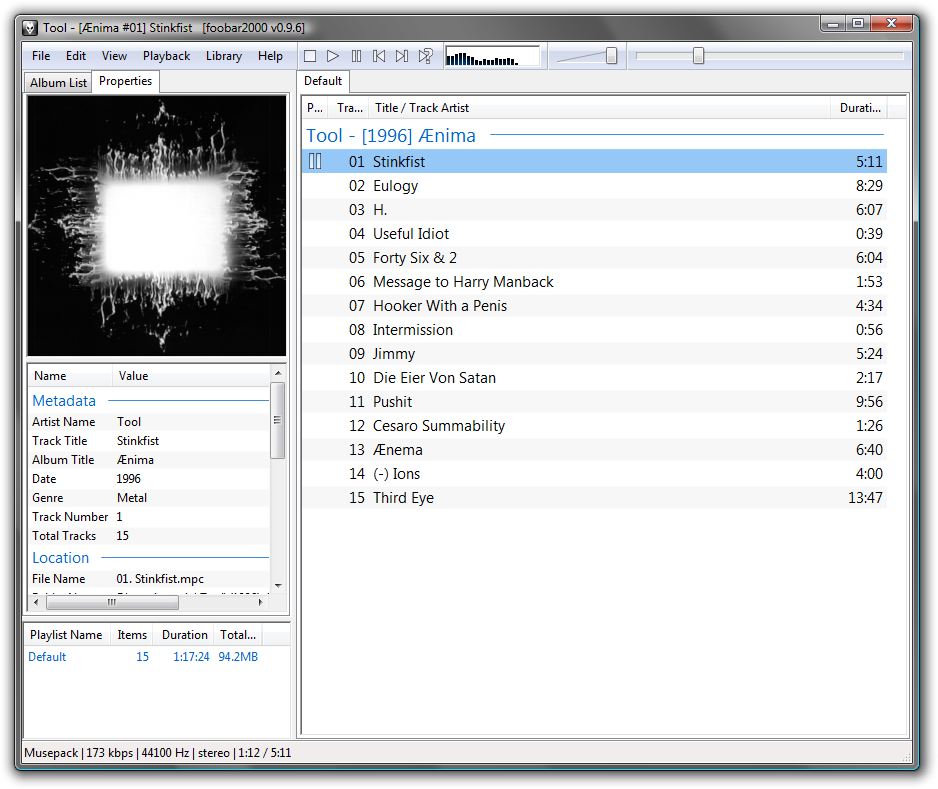
Initially once installed, it’s simple, with a quite intuitive interface and awesome quality. Check some screenshots here.
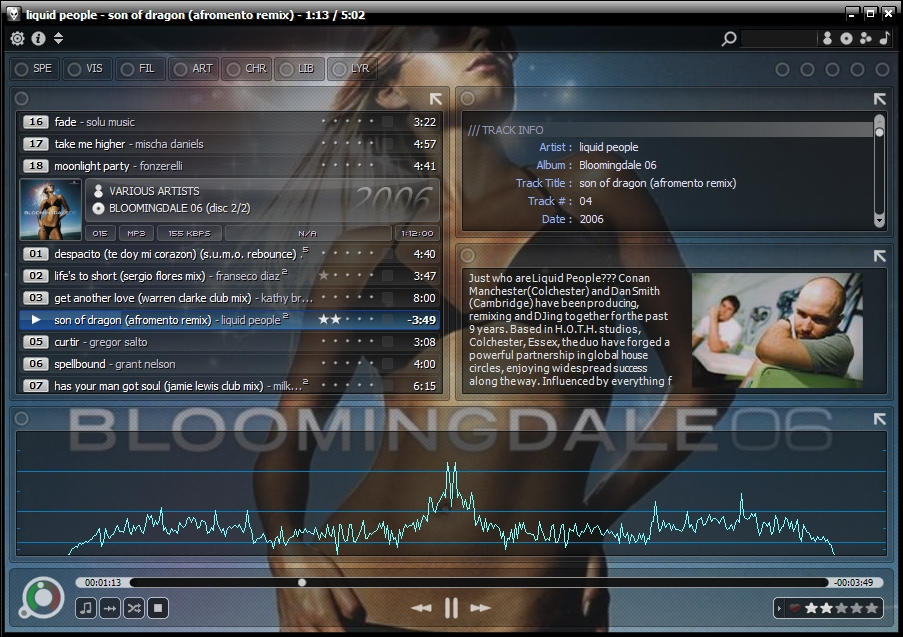
With time, you can personalize it to make it look the way you want. It has amazing skins that can go from a simple player, to a complete Player and Media Manager. Even though skinning is available for most players, it’s unlikely that they approach the beauty of what you can do with Foobar once you start personalizing.
The main interface. With playlist, basic buttons and DSP visualization.
(click to enlarge)
Some examples of skinned foobar:



Check it out ;-)
Some screenshots here.

No comments:
Post a Comment